A website can look fine and still fail. Pages load, buttons work, content exists, but users leave without taking action. That usually points to poor user experience.
UX optimization means improving how people interact with your website so tasks feel easy, clear, and frustration-free. It focuses on how users read, click, scroll, and decide, not just how a site looks.
UX optimization removes friction from the user journey so visitors can find what they need and act without confusion.
When user experience is weak, visitors:
- Leave pages quickly
- Hesitate to trust the site
- Avoid forms, sign-ups, or purchases
This guide shows practical, real-world UX improvements you can apply without guesswork. You will learn how to fix common UX issues that hurt engagement, trust, and conversions, using clear examples and actionable steps.
The goal is simple: help users move through your website smoothly and confidently, from the first visit to the final action.
What Is UX Optimization
UX optimization is the process of improving how users interact with a website or app so actions feel simple, clear, and predictable. It focuses on removing confusion, delays, and friction that stop users from completing tasks.
UX optimization improves usability, clarity, and flow so users can navigate, understand, and act without effort.
UX Optimization vs UX Design (What’s the Difference)
UX design is about creating the user experience. UX optimization is about improving an existing one based on real user behaviour.
| Aspect | UX Design | UX Optimization |
| Purpose | Build the experience | Improve performance |
| Timing | Before launch | After launch |
| Focus | Structure and layout | Usability and results |
| Data use | Assumptions and planning | User behaviour and feedback |
UX optimization continues long after a site goes live. It adjusts what already exists instead of starting from scratch.
UX Is Not Only About Visuals
Good UX is not limited to colours, fonts, or layout. A visually appealing site can still frustrate users if basic actions feel hard.
UX also includes:
- Page speed and loading behaviour
- Navigation clarity
- Content readability
- Form simplicity
- Mobile usability
If users have to think too much, wait too long, or guess what to do next, the experience breaks.
Examples of Good vs Bad UX in Everyday Websites
Good UX examples:
- Clear menus with logical labels
- Fast-loading pages
- Simple forms with helpful error messages
- Buttons that clearly explain the next step
Bad UX examples:
- Slow pages with heavy images
- Confusing navigation or hidden menus
- Long forms with no guidance
- Pop-ups that interrupt reading
Why UX Optimization Matters for Websites and Apps
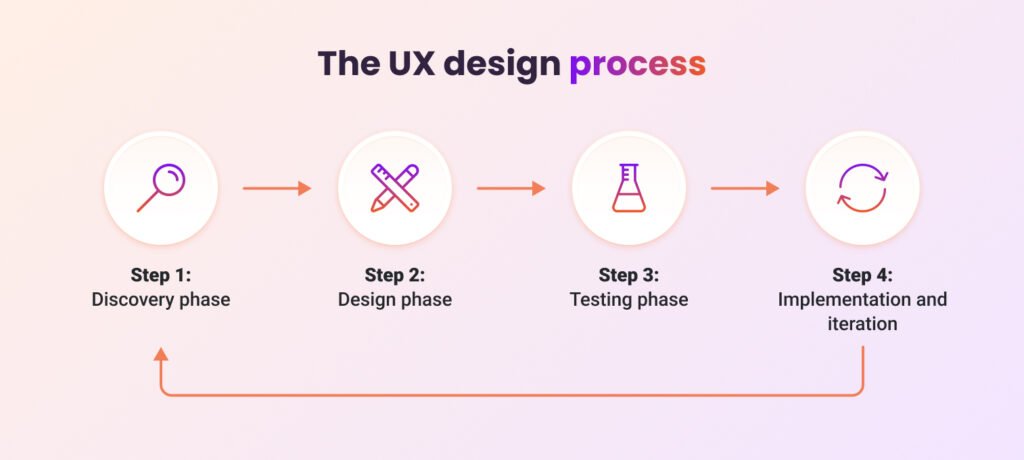
User experience directly shapes how people behave on a website or app. When interactions feel smooth, users stay longer and take action. When things feel confusing or slow, they leave.
UX optimization improves user behaviour by reducing friction, building trust, and guiding users toward clear actions.
How UX Influences User Behaviour
Users do not read websites carefully. They scan, click, and decide within seconds. UX helps them understand:
- Where they are
- What the page offers
- What they should do next
If any of these are unclear, users hesitate or exit.
Impact of UX Optimization on Key Metrics
Time on Site
Better UX keeps users engaged by making content easy to read and navigate. Clear layouts, fast loading, and logical flow encourage users to explore more pages.
Bounce Rate
Poor UX increases bounce rate when users feel lost or overwhelmed. Optimised UX reduces confusion and helps users find value quickly, which keeps them on the site.
Conversions
Conversions improve when actions feel effortless. Simple forms, clear buttons, and predictable journeys remove hesitation and increase completion rates.
Brand Trust
Users judge trust subconsciously. Broken layouts, slow pages, or unclear messaging make a brand feel unreliable. Clean UX signals professionalism and care.
UX, Content, and Performance Work Together
UX does not work alone. It connects closely with content and performance.
- Content explains value and answers questions
- Performance ensures speed and stability
- UX connects both into a smooth journey
Strong content fails without good UX. Fast performance means little if users feel confused. UX ties everything together so users can read, trust, and act without friction.
Understanding User Behaviour Before Optimizing UX
UX optimization fails when it is based on assumptions. Real improvements start with understanding how users think, scan, and interact with pages.
Knowing user behaviour helps you design pages that match how people actually read, click, and decide.
Why User Intent Matters in UX Optimization
User intent explains why someone visits a page. Some users want quick answers, others want to compare options, and some are ready to take action.
When UX matches intent:
- Information appears where users expect it
- Actions feel natural instead of forced
- Users move forward without hesitation
Ignoring intent leads to cluttered pages and missed opportunities.
How Users Scan Pages (F-Pattern and Z-Pattern)
Most users do not read line by line. They scan in patterns.
F-pattern scanning is common on content-heavy pages:
- Users scan the top horizontally
- Then move down the left side
- They stop when something catches their attention
Z-pattern scanning works well on simpler pages:
- Eyes move from top-left to top-right
- Then diagonally to the bottom-left
- Ending at the bottom-right action area
UX should place key information, headings, and buttons along these natural eye paths.
Desktop vs Mobile User Behaviour
User behaviour changes based on screen size.
- Desktop users explore more and compare content
- Mobile users act faster and scroll vertically
- Mobile users rely on thumbs, not precise clicks
UX optimization must prioritise readability, spacing, and tap-friendly elements on smaller screens.
Common User Frustrations Online
Many UX problems come from the same issues repeated across sites:
- Slow loading pages
- Hard-to-find information
- Too many pop-ups
- Long or confusing forms
- Poor mobile layouts
Page Speed Optimization for Better User Experience
Page speed shapes the first impression. If a page takes too long to load, users leave before seeing the content.
Faster pages reduce frustration, keep users engaged, and improve actions like sign-ups and purchases.
Why Loading Speed Matters for UX
Users expect instant access. Even small delays break flow and trust.
- Slow pages interrupt reading and navigation
- Users feel the site is unreliable
- Actions like clicks or form submissions feel risky
Speed is not a technical detail. It directly affects how users feel.
Ideal Page Load Time for Good UX
Most users expect pages to load fast.
- Under 2 seconds: Strong user experience
- 2–3 seconds: Acceptable but risky
- Over 3 seconds: High drop-off risk
On mobile, expectations are even stricter due to limited patience and network limits.
UX Problems Caused by Slow Pages
Slow loading creates multiple UX issues at once:
- Users abandon pages before the content appears
- Layouts shift while loading, causing misclicks
- Buttons feel unresponsive
- Trust drops, especially on checkout or forms
These issues happen before users read a single word.
Practical Ways to Improve Page Speed
Image Optimisation
Images are often the biggest cause of slow pages.
- Use correct image sizes
- Compress images without quality loss
- Use modern formats where possible
Code Minification
Extra spaces and unused code increase load time.
- Minify CSS, JavaScript, and HTML
- Remove unused styles and scripts
Reducing Scripts
Too many scripts slow down pages.
- Remove unnecessary third-party tools
- Delay loading of non-critical scripts
- Avoid heavy animations
Hosting Quality
Weak hosting limits performance.
- Choose reliable servers
- Use proper caching
- Avoid overloaded shared hosting
Tools to Test Page Speed
| Tool | What It Shows |
| Google PageSpeed Insights | Speed issues and UX metrics |
| GTmetrix | Load time and performance details |
| Lighthouse | UX, speed, and technical checks |
| WebPageTest | Real-world loading behaviour |
Mobile UX Optimization Best Practices
Most users now experience websites on mobile first. If mobile UX fails, the entire user journey breaks.
Mobile UX optimization ensures content is easy to read, tap, and navigate on small screens without frustration.
Why Mobile-First UX Is Critical
Mobile users behave differently from desktop users.
- They scroll faster
- They make quick decisions
- They have limited screen space
If a site feels hard to use on mobile, users leave even if the desktop version works well.
Common Mobile UX Mistakes
Many mobile issues come from desktop-first thinking:
- Small text that requires zooming
- Buttons placed too close together
- Hidden menus that confuse users
- Heavy pop-ups are blocking content
- Pages designed for clicks, not taps
These mistakes increase errors and missed actions.
Mobile UX Best Practices That Work
Thumb-Friendly Design
Users rely on thumbs, not cursors.
- Place key buttons within easy thumb reach
- Avoid tiny clickable areas
- Keep primary actions visible
Readable Text Size
Text should be readable without effort.
- Use comfortable font sizes
- Avoid long lines of text
- Maintain a strong contrast between text and background
Proper Spacing
Crowded layouts cause misclicks.
- Add space between buttons and links
- Separate sections clearly
- Avoid stacking too much content at once
Avoiding Intrusive Pop-Ups
Pop-ups disrupt mobile flow.
- Avoid full-screen pop-ups
- Delay non-essential messages
- Make closing easy and obvious
Mobile UX Testing Checklist
Use this quick checklist before publishing changes:
- Pages load quickly on mobile networks
- Text is readable without zooming
- Buttons are easy to tap
- Navigation works with one hand
- Forms are simple and short
Website Navigation and Information Structure
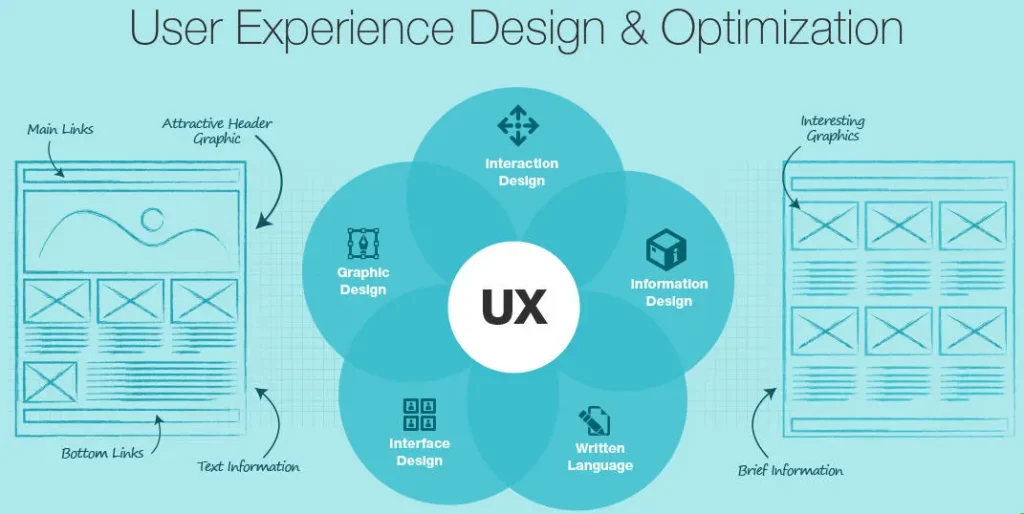
Navigation decides whether users continue or quit. If users cannot find what they need quickly, they leave without exploring further.
Clear navigation helps users understand where they are, what’s available, and where to go next.
Why Users Leave When Navigation Is Confusing
Confusing navigation increases mental effort.
- Users feel lost
- Pages feel unstructured
- Important content gets ignored
When users must guess where information lives, trust drops and exits rise.
Best Practices for Website Menus
Menus should guide, not overwhelm.
- Use clear and familiar labels
- Limit top-level menu items
- Prioritise important pages
- Keep menu structure consistent across pages
Avoid creative naming that sacrifices clarity.
Logical Content Grouping
Content should follow how users think.
- Group related topics together
- Avoid mixing unrelated pages
- Use headings and sections to guide scanning
Logical grouping helps users understand the site without effort.
Breadcrumb Usage for Better UX
Breadcrumbs show location within the site.
- Help users track their path
- Allow quick navigation to higher pages
- Reduce frustration on deep pages
They are especially helpful for large or content-heavy sites.
Footer Navigation Tips
Footers act as a safety net.
- Repeat important links
- Add contact and support pages
- Avoid clutter
Improving Readability and Content Experience
Good content fails if users struggle to read it. Content UX focuses on making information easy to scan, understand, and absorb.
Strong content UX improves comprehension, keeps users engaged, and reduces reading effort.
Why Content UX Matters
Users rarely read every word. They scan for answers.
- Poor formatting causes fatigue
- Dense text hides important points
- Long blocks reduce engagement
Readable content keeps users focused and confident.
Text Formatting Best Practices for Better UX
Short Paragraphs
Short paragraphs improve flow.
- Limit paragraphs to one idea
- Keep them visually light
- Avoid long blocks of text
This makes scanning faster and easier.
Clear Headings
Headings guide readers.
- Use descriptive headings
- Reflect the content below
- Help users find answers quickly
Headings act as signposts for scanning.
Bullet Points
Bullets simplify complex ideas.
- Break down information
- Highlight key points
- Improve skimmability
Use bullets when listing benefits, steps, or features.
Font Choices and Contrast
Fonts affect comfort and trust.
- Choose readable font styles
- Maintain a strong contrast between text and background
- Avoid decorative fonts for body text
Poor contrast causes eye strain and early exits.
Line Spacing and White Space
White space improves focus.
- Separate sections clearly
- Increase line spacing for readability
- Avoid crowded layouts
Call-to-Action Placement and UX Optimization
A call-to-action works only when users feel ready to act. Poor placement or design creates pressure instead of clarity.
UX-friendly CTAs guide users naturally toward action without interrupting their experience.
Why CTAs Fail on Most Websites
CTAs fail when they ignore user context.
- Users are asked to act too early
- Buttons feel unclear or pushy
- Too many CTAs compete for attention
When users feel rushed or confused, they avoid action.
UX-Friendly CTA Principles
Effective CTAs follow simple rules:
- Match the user’s intent
- Use clear, action-based wording
- Appear after the value is explained
- Feel like the next logical step
CTAs should support the journey, not force it.
Button Design Best Practices
Buttons must look clickable and trustworthy.
- Use a clear contrast with the background
- Keep text readable and concise
- Maintain consistent button styles
- Avoid tiny or overcrowded buttons
Users should recognise buttons instantly.
CTA Placement Strategies That Work
Placement affects results more than wording.
- Place CTAs after key information
- Repeat naturally on long pages
- Align CTAs with scanning patterns
Well-placed CTAs reduce hesitation.
Avoiding Aggressive CTAs
Aggressive CTAs damage trust.
- Avoid constant pop-ups
- Do not block content with offers
- Skip urgent language without value
Form UX Optimization to Reduce Abandonment
Forms are often the final step before conversion. When forms feel difficult or unclear, users quit even after showing interest.
Form UX optimization removes friction so users can complete forms quickly and confidently.
Why Users Abandon Forms
Most form drop-offs happen for predictable reasons:
- Forms ask for too much information
- Instructions are unclear
- Errors appear after submission
- The process feels unsafe
Users leave when effort feels higher than value.
Best Practices for Better Form UX
Fewer Fields
Shorter forms perform better.
- Ask only for essential information
- Remove optional fields where possible
- Break long forms into steps
Less effort increases completion.
Clear Labels
Labels guide users correctly.
- Place labels close to fields
- Use simple, familiar wording
- Avoid vague or technical terms
Clear labels reduce mistakes.
Inline Error Messages
Errors should guide, not frustrate.
- Show errors as users type
- Explain what went wrong
- Highlight the exact field
Immediate feedback prevents confusion.
Autofill Support
Autofill saves time.
- Enable browser autofill
- Support saved addresses and emails
- Avoid blocking autofill features
Speed improves confidence.
Trust Signals in Forms
Users hesitate when trust feels weak.
- Show privacy notices
- Use secure connection indicators
- Avoid unnecessary data requests
Accessibility UX Best Practices
Accessibility ensures that all users can interact with a website, regardless of ability or device. When accessibility is ignored, UX breaks for a large portion of users.
Accessible UX improves usability for everyone, not only users with disabilities.
Why Accessibility Matters for User Experience
Accessibility removes barriers.
- Users can read, navigate, and act without struggle
- Sites feel inclusive and easier to use
- Overall usability improves for all visitors
Many accessibility improvements also benefit mobile users and older audiences.
Common Accessibility Issues on Websites
Most sites fail basic accessibility checks:
- Missing image descriptions
- Poor colour contrast
- Text that is hard to read
- Pages that cannot be used with a keyboard
These issues quietly block users from completing tasks.
Simple Accessibility Improvements That Work
Alt Text for Images
Alt text explains images to screen readers.
- Describe the image’s purpose clearly
- Avoid decorative text for functional images
- Improve understanding for non-visual users
Keyboard Navigation
Some users rely only on keyboards.
- Ensure all links and buttons are reachable
- Maintain logical tab order
- Avoid trapping focus in pop-ups
Colour Contrast
Low contrast hides information.
- Use a strong contrast between text and background
- Avoid light text on light backgrounds
- Test contrast for readability
Readable Fonts
Fonts affect clarity.
- Choose clean, simple font styles
- Avoid overly thin or decorative fonts
- Maintain consistent sizing
Accessibility and Legal Compliance
Accessibility is not only a good practice.
- Many regions require accessible websites
- Non-compliance can lead to legal issues
- Accessible UX reduces risk and improves reach
Designing with accessibility in mind protects both users and businesses.
UX Optimization for E-Commerce Websites
E-commerce UX directly affects revenue. Even small usability issues can stop users from completing a purchase.
Optimised e-commerce UX makes buying feel easy, safe, and predictable.
UX Factors That Affect Buying Decisions
Shoppers decide quickly.
- Clarity of product information
- Trust signals and transparency
- Ease of navigation
- Speed and stability
If any step feels uncertain, users delay or abandon the purchase.
Product Page UX Best Practices
Product pages carry the most responsibility.
- Clear product titles and images
- Simple pricing and delivery details
- Visible return and support information
- Easy-to-find action buttons
Users should understand the value without scrolling endlessly.
Cart and Checkout UX Tips
Checkout is where most drop-offs happen.
- Show the total cost early
- Avoid forced account creation
- Keep steps minimal
- Display progress clearly
Reducing surprises builds confidence.
Reducing Friction in the Purchase Journey
Friction breaks momentum.
- Remove unnecessary form fields
- Avoid sudden pop-ups during checkout
- Keep navigation consistent
A smooth journey helps users complete purchases without second thoughts.
UX Optimization for Service-Based Websites
Service websites succeed when users feel confident enough to make contact. UX plays a key role in building that confidence.
Good UX helps service-based websites build trust and guide users toward enquiries without pressure.
Building Trust Through UX
Trust forms before contact.
- Clear messaging about services
- Transparent pricing or process
- Visible contact information
- Consistent design and tone
When users feel informed, they are more likely to reach out.
Homepage UX Structure
The homepage sets direction.
- Explain what you offer immediately
- Highlight who the service is for
- Guide users to next steps
Avoid overcrowding the homepage with unnecessary details.
Service Page UX Best Practices
Service pages should answer key questions.
- Clear service descriptions
- Benefits explained simply
- Process or timeline overview
- Proof, such as reviews or results
Users should feel reassured before contacting.
Contact Page UX Tips
Contact pages should remove hesitation.
- Keep forms short
- Offer multiple contact options
- Set clear expectations for response time
Common UX Optimization Mistakes to Avoid
Many UX issues come from trying to do too much. Small mistakes often undo good intentions.
Avoiding common UX mistakes prevents confusion, frustration, and lost actions.
Over-Designing Pages
Too much design hurts usability.
- Excessive colours and effects distract users
- Overloaded layouts increase cognitive load
- Important content gets buried
Simple layouts are easier to understand and use.
Ignoring Mobile Users
Designing only for desktop limits reach.
- Mobile users struggle with small text and buttons
- Pages feel cramped or broken
- Actions become hard to complete
Mobile UX must be treated as a priority, not an afterthought.
Too Many Animations
Animations can slow pages and distract users.
- Movement pulls attention away from content
- Heavy animations affect performance
- Repeated motion causes frustration
Use animation only when it helps understanding.
Hiding Important Information
Users should not hunt for basics.
- Pricing, contact details, and next steps must be visible
- Hidden menus increase confusion
- Key information should appear early
Clarity reduces hesitation.
Copying Competitors Blindly
What works elsewhere may fail for your users.
- Different audiences behave differently
- Blind copying ignores user intent
- UX decisions should be data-driven
Testing and feedback matter more than trends.
UX Optimization Checklist (Practical Summary)
UX improvements work best when applied consistently. This checklist summarises the core areas that affect user experience across most websites.
Use this checklist to identify and fix UX issues that impact engagement, trust, and actions.
Page Speed
- Pages load in under 3 seconds
- Images are optimised
- Unnecessary scripts are removed
Mobile Usability
- Text is readable without zoom
- Buttons are easy to tap
- Layout adapts properly to small screens
Navigation Clarity
- Menus use clear labels
- Content is logically grouped
- Users always know where they are
Readability
- Short paragraphs and clear headings
- Proper spacing and contrast
- Content is easy to scan
Calls-to-Action
- CTAs match user intent
- Buttons are visible and clear
- Placement feels natural
Forms
- Forms are short and simple
- Errors are explained clearly
- Autofill works properly
Accessibility
- Images include alt text
- Keyboard navigation is supported
- Colour contrast meets readability needs
Feedback and Testing
- User behaviour is monitored
- Feedback is reviewed regularly
- UX changes are tested before scaling
How UX Optimization Impacts SEO and Rankings
Search engines aim to rank pages that satisfy users. UX optimization plays a direct role in how pages perform in search results.
Better UX improves user signals that search engines use to evaluate page quality and relevance.
UX Signals Search Engines Care About
Search engines analyse how users interact with pages.
- Time spent on the page
- Bounce behaviour
- Page speed and stability
- Mobile usability
Poor UX sends negative signals, even if the content is strong.
Relationship Between UX and Dwell Time
Dwell time reflects engagement.
- Clear structure keeps users reading
- Fast pages prevent early exits
- Easy navigation encourages exploration
Longer dwell time signals that content matches user intent.
UX and Conversion-Focused SEO
SEO is not only about traffic.
- UX guides users toward actions
- Clear journeys reduce drop-offs
- Better UX improves lead and sales outcomes
Conversion-focused SEO depends on usability, not rankings alone.
Long-Term SEO Benefits of UX Optimization
UX improvements compound over time.
- Higher engagement builds authority
- Returning users increase trust
- Search performance becomes more stable
Tools for UX Optimization and Testing
UX improvements become easier when decisions are based on real data. The right tools help identify problems before users complain.
UX tools reveal how users behave, where they struggle, and what needs fixing.
UX Analysis Tools
These tools track user behaviour patterns.
- Google Analytics
- Google Search Console
- Behaviour flow reports
They show where users enter, exit, and drop off.
Heatmap Tools
Heatmaps visualise user interaction.
- Click behaviour
- Scroll depth
- Attention areas
They help identify ignored content and misplaced elements.
User Testing Platforms
User testing provides direct feedback.
- Recorded sessions
- Task-based testing
- Real user reactions
Watching real users reveals issues that data alone cannot show.
Performance Tools
Performance tools highlight speed issues.
- Page load time
- Layout shifts
- Resource usage
Speed fixes often deliver immediate UX gains.
Accessibility Checkers
Accessibility tools detect usability barriers.
- Colour contrast issues
- Missing alt text
- Keyboard navigation problems
Conclusion
UX optimization matters because it shapes how users feel, decide, and act on a website. When interactions are clear and smooth, users stay longer, trust the brand, and complete actions with confidence.
UX is not a one-time task. User behaviour changes, devices evolve, and expectations shift. Regular testing, feedback, and small adjustments help maintain a strong experience over time.
The most effective UX decisions are not driven by trends or visual preferences. They are driven by real users. When a website is built around clarity, ease, and purpose, results follow naturally.
FAQs
How often should UX be optimized
UX should be reviewed regularly, not only during redesigns. Small checks every few months help catch issues early, especially after content updates, traffic changes, or new features are added.
Is UX optimization expensive
UX optimization does not always require large budgets. Many improvements involve layout fixes, clearer content, faster loading, or simpler forms. These changes often deliver strong results without major costs.
Can small websites benefit from UX improvements
Yes. Small websites often see faster results because fewer pages are involved. Even simple fixes like clearer navigation or better mobile layout can improve engagement and enquiries.
UX optimization vs UI improvement
UI improvement focuses on visual appearance, such as colours and layouts. UX optimization focuses on usability, clarity, and user flow. A site can look good but still perform poorly without proper UX.
How to measure UX success
UX success is measured through behaviour, not opinions. Key indicators include time on site, drop-off points, completed actions, and user feedback. Consistent improvement in these signals shows UX is working.